
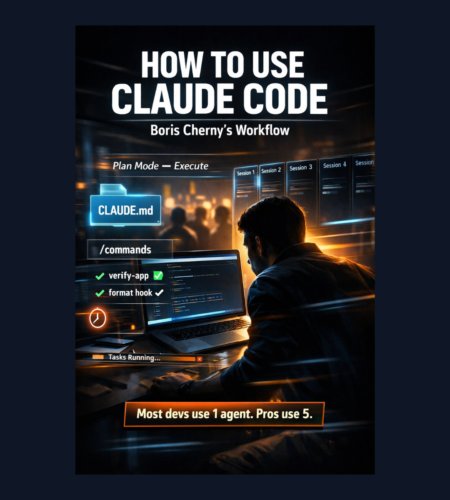
If you’ve tried “AI coding assistants” and felt like they help… but not reliably, this workflow fixes the real problem:
Most people use AI like a chatbot.
Boris Cherny (creator of Claude Code) uses it like a production system.
This post breaks down his exact sequence (in order) and turns it into a simple, repeatable setup that any developer/team can adopt—even if you’re not an AI power user.
You’ll learn:
- how to run multiple Claude sessions in parallel (without chaos)
- how to standardize team behavior with
CLAUDE.md - how to automate repeat tasks with slash commands + subagents
- how to reduce permission interruptions safely
- how to make Claude verify its own work (the single biggest quality boost)
Quick Summary (for skimmers)
Boris’s workflow is basically:
- Run multiple Claudes at once
- Use the best model for end-to-end speed
- Put team rules in
CLAUDE.mdso Claude learns - Turn repetitive tasks into slash commands
- Use Plan Mode → then auto-accept edits
- Add subagents for common workflows
- Add hooks to enforce formatting & verification
- Give Claude a deterministic verification loop (tests/UI)
- For long tasks, use background verification + permissions strategy
Now let’s go step-by-step.
Step 0: The Principle (Why This Works)
Claude becomes dramatically more useful when:
- you treat it like a teammate
- you give it repeatable systems
- you give it a feedback loop (verification)
Most people skip the system part—and then wonder why the output is inconsistent.
Step 1: Run Multiple Claudes in Parallel (Local Terminal)
What Boris does:
He runs 5 Claude sessions at the same time in his terminal.
- Tabs are numbered 1–5
- He uses system notifications to know when Claude needs input
Why it matters
Coding isn’t one task. It’s 20 small tasks:
- investigate bug
- check logs
- update UI
- run tests
- refactor
- open PR
Parallel Claude sessions let you “queue up” tasks instead of waiting.
How you can copy it
Start simple:
- Open 3–5 terminal tabs
- Give each tab a role:
- Tab 1: main feature work
- Tab 2: debugging / logs
- Tab 3: tests
- Tab 4: refactor / cleanup
- Tab 5: docs / PR
Step 2: Add More Parallelism via Web + Phone (claude.ai/code)
What Boris does:
He also runs 5–10 Claude sessions on the web in parallel with local sessions.
And he sometimes starts sessions from his phone (iOS app) in the morning and checks them later.
He also moves work between local ↔ web:
- hand off sessions
- “teleport” between environments
- keep tasks running while he codes elsewhere
Why it matters
This turns Claude into an asynchronous coworker:
- you keep coding
- Claude keeps working on separate tasks
- you “check in” later
How you can copy it
Use web sessions for tasks that can run independently:
- long refactors
- writing tests
- summarizing logs
- documentation
- migration plans
- research and comparisons
Step 3: Use the Best Model (Even If It’s Slower)
What Boris does:
He uses Opus with thinking for almost everything.
Even though it’s bigger/slower than smaller models, he says it wins because:
- you steer it less
- it uses tools better
- fewer retries → faster overall
Key idea
Speed is not “time per response.”
Speed is “time to correct outcome.”
A model that gets it right in 1–2 passes beats a “fast” one that takes 6 retries.
Step 4: Create a Team Memory File: CLAUDE.md
What Boris does:
His team maintains one shared file: CLAUDE.md
- checked into git
- updated multiple times per week
- whenever Claude does something wrong → add the rule to
CLAUDE.md
Example rules:
- preferred tooling (
bunnotnpm) - how to run tests
- code style rules
- what to never do again
Why it matters
This turns Claude from “random assistant” into a project-specific agent.
You don’t repeat yourself.
The team doesn’t repeat itself.
Claude becomes consistent.
Your implementation (simple)
Create a CLAUDE.md at repo root with:
- Development workflow
- Commands to run
- Testing rules
- Formatting rules
- What NOT to do
- PR expectations
Step 5: Use Claude in Code Review (and Update CLAUDE.md During PRs)
What Boris does:
During code review, he tags Claude on coworkers’ PRs:
- “Claude: add this mistake to CLAUDE.md”
- they use a GitHub action to apply it
This is like “compounding engineering”—every mistake becomes a permanent rule.
Why it matters
The team gets smarter as it ships.
Your rules evolve from real failures, not theory.
Step 6: Start in Plan Mode, Then Switch to Execution Mode
What Boris does:
Most sessions start in Plan mode:
- iterate with Claude until the plan looks correct
- then switch to auto-accept edits mode
- Claude often “1-shots” implementation from there
He highlights something important:
A good plan is really important.
Why it matters
Most AI coding failures are planning failures:
- wrong scope
- wrong constraints
- wrong files
- wrong assumptions
The copyable workflow
- Ask for a plan (files, steps, risks, test strategy)
- Review plan like a senior engineer
- Approve plan
- Let Claude implement
Step 7: Use Slash Commands for Every “Inner Loop” Task
What Boris does:
He creates slash commands for workflows he repeats multiple times daily.
Commands live in:
.claude/commands/
And are checked into git.
Example: /commit-push-pr
- runs git status
- prepares context
- does the commit
- pushes
- opens PR
Sometimes the command uses inline bash to gather context fast.
Why it matters
You remove repetitive prompting.
Claude can run a workflow like a “button press.”
Examples you can add immediately
/test→ run your test suite/lint→ run linting + formatting/pr→ generate PR description + checklist/release-notes→ generate changelog from commits/debug-log→ extract and summarize latest errors
Step 8: Add Subagents for Common Workflows (Reusable Specialists)
What Boris does:
He uses subagents regularly, like:
code-simplifier→ simplifies/refactors after main workverify-app→ has detailed instructions for end-to-end testingbuild-validator,code-architect, etc.
Stored in:
.claude/agents/
Why it matters
Subagents are like “roles” you can invoke anytime.
Instead of rewriting the same instructions each time, you keep them as reusable agents.
Simple subagents to create
verify-app: “run tests + check UI flows”security-check: “look for secrets, unsafe code paths”refactor-clean: “reduce complexity, rename, remove dead code”docs-writer: “update docs + add usage examples”
Step 9: Add a PostToolUse Hook for Formatting
What Boris does:
They use a PostToolUse hook to format Claude’s code automatically.
So Claude writes code normally, and the hook handles the “last 10%”:
- formatting
- CI style failures
- minor lint fixes
Example approach:
- after Write/Edit action → run formatter (
bun run format || true)
Why it matters
Formatting issues are the most annoying kind of failure:
- not intellectually hard
- wastes time
- breaks CI
Automate it.
Step 10: Handle Permissions Safely (Avoid Constant Prompts)
What Boris does:
He does not blindly use --dangerously-skip-permissions.
Instead, he uses /permissions to pre-allow known-safe commands and stores them in:
.claude/settings.json
Shared with the team.
Examples of common safe commands:
- running tests
- running typechecks
- running formatters
- simple file operations
Why it matters
Claude becomes faster when it isn’t blocked every minute.
But you keep control by allowing only safe patterns.
Step 11: Let Claude Use Your Real Tools (MCP + Team Config)
What Boris does:
Claude uses his tools like:
- Slack (search + post via MCP server)
- BigQuery queries (bq CLI)
- Sentry logs
The MCP configuration is checked into a shared file like:
.mcp.json
Why it matters
Claude becomes useful beyond code:
- debug faster
- answer analytics questions
- pull error logs
- notify teammates
This is the jump from “coding assistant” → “engineering agent.”
Step 12: Long-Running Work: Background Verification + Stop Hooks
What Boris does (for long tasks):
He uses one of:
- (a) prompt Claude to verify with a background agent when done
- (b) use an agent “Stop hook” so verification happens deterministically
- (c) use tools/plugins to manage long-running flows
He also uses permission modes (often in sandbox) to reduce interruptions so Claude can keep working.
Why it matters
Long tasks fail quietly unless you force a “done means verified” rule.
The fix is to make verification automatic at the end.
Step 13: The Most Important Tip: Give Claude a Verification Loop
Boris says this is the biggest lever:
Give Claude a way to verify its work.
If Claude has a feedback loop, output quality improves 2–3x.
What they do:
- Every change is tested on claude.ai/code using a Chrome extension
- It opens a browser, tests UI, iterates until UX feels good
Verification differs by domain:
- run bash command
- run full test suite
- run UI tests in browser
- phone simulator
- end-to-end checks
Why it matters (this is the secret)
AI is strongest when it can:
- do work
- check results
- fix its own mistakes
Without verification, it stops at “looks right.”
With verification, it stops at “works.”
A Copy-Paste “Starter Kit” Workflow (Simple Version)
If you want the easiest version to implement this week:
Day 1: Solo setup
- Run 3 parallel Claude sessions (local terminal)
- Add a
CLAUDE.mdwith your dev workflow - Use Plan mode → then execute
- Always ask Claude to run tests before finishing
Day 3: Team setup
- Put
CLAUDE.mdin git - Add 5 rules from real mistakes
- Add
/prand/testslash commands
Day 7: Automation setup
- Add formatter hook
- Add
verify-appsubagent - Add safe permissions rules
This gets you 80% of the benefit.
FAQs
What is CLAUDE.md used for?
It’s a shared instruction file checked into your repo that tells Claude how your team works (commands, rules, “don’t do this again”), so outputs become consistent.
Why run multiple Claude sessions at once?
Because real development is many parallel tasks (debug, tests, refactor, docs). Multiple sessions prevent context switching and waiting.
What is Plan mode and why start there?
Plan mode forces Claude to outline steps before editing code, reducing wrong assumptions and rework. Good plans lead to 1-shot execution.
What are slash commands in Claude Code?
Reusable command templates stored in your repo that automate repeated tasks like commit/push/PR creation, tests, linting, etc.
What are subagents?
Specialized reusable agents (like “verify-app” or “code-simplifier”) that run common workflows without rewriting instructions each time.
What’s the biggest improvement you can make?
Give Claude a verification loop (tests, UI checks, scripts). Quality improves massively because Claude can iterate until it works.
Conclusion
Boris’s workflow isn’t “prompting better.”
It’s building a system where:
- Claude works in parallel
- the team teaches it continuously
- repetitive work becomes commands
- common tasks become subagents
- code is auto-formatted
- permissions don’t interrupt flow
- every task ends in verification
That’s how you go from “AI helps sometimes” to “AI is a real engineering multiplier.”
Comments