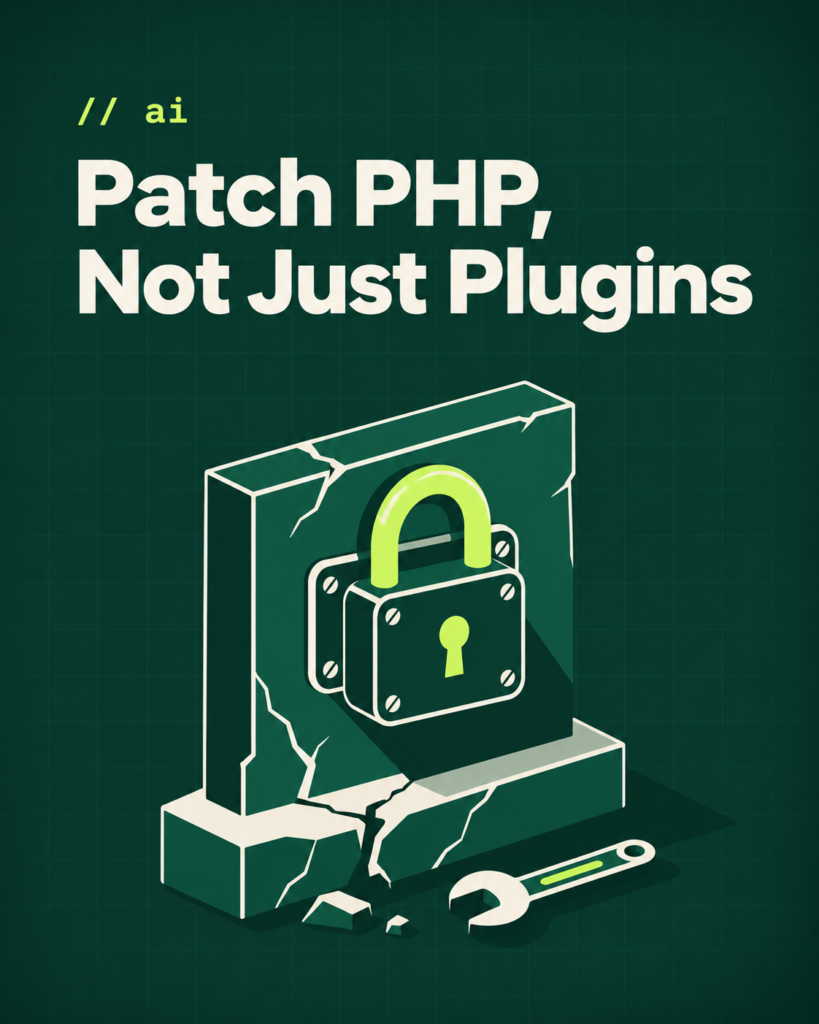
- PHP2Shell affects the PHP runtime. Updating plugins or frameworks alone is not enough.
- PHP 8.2–8.5 have official security fixes. Verify your exact version and install the latest security release.
- PHP 8.1 and older no longer receive official PHP-project patches, although some vendors provide backported fixes.
- Legacy PHP upgrades require compatibility checks, backups, staging and thorough testing.
- Modernizing outdated PHP applications can reduce security risks and improve long-term maintainability.
// on this page
- What happened with PHP2Shell?
- Which PHP versions are patched?
- “I’ve updated my website plugins. Am I safe?”
- How can I check my website’s PHP version?
- Why not just switch from PHP 5.6 or 7.4 to PHP 8.4?
- What a safer PHP upgrade looks like
- From PHP 5.6 to PHP 8.4: Why practical migration experience matters
- What should your business do now?
- How can I tell if my site was compromised?
- Need help securing or upgrading a legacy PHP application?
- References and further reading
Your website may still be working perfectly. That does not mean the PHP version behind it is secure.
On 21 October 2026, the PHP project released emergency fixes for two critical security vulnerabilities, widely referred to as PHP2Shell:
- CVE-2026-109618
- CVE-2026-109619
Both received a 9.2/10 CVSS v4.0 critical severity rating. Under certain conditions, these flaws can allow an attacker to execute code on a vulnerable server without logging in. The issues are in PHP itself—not simply in a WordPress plugin or Laravel package.
For businesses using an older PHP application, this raises two immediate questions: Is our server patched? And if we run an unsupported PHP version, what should we do next?
01What happened with PHP2Shell?
PHP powers the backend of many websites, e-commerce stores, customer portals and custom business applications. On 21 October, the PHP project published security releases addressing the two PHP2Shell vulnerabilities. Security agencies urged organisations to identify affected systems and patch them promptly.
These vulnerabilities affect PHP’s underlying runtime. That means a website built with core PHP, Laravel, Symfony, CakePHP, CodeIgniter, Drupal or WordPress may be exposed when its server uses a vulnerable PHP build.
A vulnerable installation is not proof that a website has been compromised. It is a reason to act quickly: exploitation attempts and confirmed exploitation have been reported, and public-facing systems deserve priority.
02Which PHP versions are patched?
The official PHP-project releases addressing PHP2Shell are:
| PHP branch | Minimum PHP-project release with the PHP2Shell fixes | Support status on 2 November 2026 | Recommended action |
|---|---|---|---|
| PHP 8.5 | 8.5.12 | Actively supported | Install the latest fixed 8.5 release |
| PHP 8.4 | 8.4.27 | Actively supported | Install the latest fixed 8.4 release |
| PHP 8.3 | 8.3.36 | Security support | Patch, then plan a future upgrade |
| PHP 8.2 | 8.2.35 | Security support ends 31 December 2026 | Patch now and plan migration to a newer branch |
| PHP 8.1 and older | No new PHP-project release | End of life | Check for a verified vendor backport and plan migration to a supported branch |
Important distinction: Saying “there is no patch for PHP 8.1 or older” without qualification is misleading. The PHP project no longer issues new releases for those end-of-life branches, but some hosting providers and extended-support vendors have shipped backported fixes for these specific vulnerabilities.
For example, Heroku documented a rebuilt PHP 8.1 runtime, while Plesk listed updated builds for several older PHP branches. A backport may address PHP2Shell, but it does not make an end-of-life PHP branch fully supported again. Confirm the exact installed package or build with your hosting provider, and treat migration as the long-term solution.
PHP 8.4 is not inherently unsafe. PHP 8.4.26 and earlier releases in that branch are affected by these vulnerabilities; PHP 8.4.27 or later contains the official fixes. The patch number matters, not just the major version.
03“I’ve updated my website plugins. Am I safe?”
Not necessarily.
Updating WordPress, Drupal, Laravel dependencies, themes or plugins is important. But PHP2Shell is in the PHP runtime beneath your application. A website can have up-to-date plugins and still be running a vulnerable PHP build.
Think of it this way: updating the application is like replacing the locks on an office door. Updating PHP is more like repairing the structure the door is attached to. You need to maintain both.
For a reliable security review, check:
- The exact PHP version and vendor build used by the live website.
- Framework, CMS and package versions, including unsupported dependencies.
- Server configuration, exposed services and security updates.
- Evidence of suspicious activity if the website was publicly exposed while vulnerable.
04How can I check my website’s PHP version?
If you use cPanel or a similar hosting panel: Look for MultiPHP Manager, Select PHP Version or your provider’s PHP settings. Note the full version, including the patch number.
If you manage the server: You can start with:
php -vBut be careful: this command checks the command-line PHP interpreter. Your web server may use a different PHP version through PHP-FPM, Apache or another runtime. Verify the version serving the actual website, not only the one shown in your terminal.
If you use managed hosting: Ask your provider for the active PHP runtime version and whether its build includes the PHP2Shell security fixes. This is particularly important for older versions with vendor backports.
Do not leave publicly accessible phpinfo() pages or temporary version-check scripts on a production website: they can reveal server details.
05Why not just switch from PHP 5.6 or 7.4 to PHP 8.4?
Sometimes a PHP version change is straightforward. With a legacy application, however, changing the dropdown in your hosting panel can break important functionality.
Common compatibility problems include:
- Removed functions and extensions, such as old
mysql_*calls andcreate_function(). - Syntax changes, including curly-brace string offsets used in older code.
- Stricter runtime behaviour, where code that previously generated a warning now throws an error.
- Outdated frameworks or Composer packages that cannot run on the target PHP version.
- Database and integration issues affecting payments, login flows, admin panels or scheduled jobs.
The most expensive failures aren’t always obvious. A page might load normally while a form stops saving data or a background task fails silently.
This is why a legacy PHP upgrade should be treated as a tested application migration—not a one-click hosting change.
06What a safer PHP upgrade looks like
For a business-critical application, a structured migration can reduce the risk of disruption:
- Audit the system. Identify the PHP runtime, framework, packages, extensions, database and server configuration.
- Assess exposure. Prioritise known security fixes, check relevant logs and investigate possible compromise where appropriate.
- Back up and prepare staging. Create verified backups and a test environment that reflects production.
- Choose a supported target version. Check framework and dependency compatibility before deciding between PHP 8.4, PHP 8.5 or another supported branch.
- Upgrade in manageable steps. Fix incompatible syntax, dependencies, runtime behaviour and configuration issues.
- Test real business workflows. Cover customer accounts, forms, payments, dashboards, APIs, scheduled tasks and administrative actions.
- Deploy carefully. Use a release plan with monitoring and a tested rollback or recovery procedure.
No responsible developer should promise that every old application can be upgraded instantly or without any changes. The goal is to preserve the workflows that matter while moving the software onto a safer, maintainable foundation.
07From PHP 5.6 to PHP 8.4: Why practical migration experience matters
At MuneebDev, I’ve recently worked on upgrading a legacy PHP application from PHP 5.6 to PHP 8.4. I’ve also handled Laravel 9 to Laravel 13 framework modernization.
These are different kinds of migration, but both make the same point: updating an application’s runtime or framework involves more than changing a version number. Existing code, dependencies and important user journeys must be reviewed and tested.
A complete rebuild is not always necessary. Depending on the application’s condition, a carefully planned migration may extend the useful life of software a business already relies on.
08What should your business do now?
If your business runs a PHP-based website or application, start with these actions:
- Identify the live PHP version. Ask for the full version and build, not just “PHP 8”.
- Patch supported branches immediately. For PHP2Shell, use at least 8.5.12, 8.4.27, 8.3.36 or 8.2.35, as appropriate, and install any newer security updates.
- Check vendor patches for end-of-life versions. A provider may have a backport, but request evidence that the installed build includes the fixes.
- Plan a tested migration. If you’re still on PHP 8.1, 7.x or 5.x, do not rely indefinitely on legacy support.
- Check for compromise. If the site was exposed, review logs and indicators of suspicious activity; patching does not by itself remove an existing backdoor.
If an exposed system cannot be patched promptly, seek urgent advice from your hosting/security team on restricting access or temporarily taking it offline.
09How can I tell if my site was compromised?
Patching closes the vulnerability. It does not undo anything an attacker did while the server was exposed. If your site ran a vulnerable PHP build on the public internet, review it for:
- Unfamiliar PHP files, especially in upload, cache or temporary folders.
- Recently modified core, theme or plugin files you did not change.
- New admin or database users you did not create.
- Unexpected cron jobs or scheduled tasks.
- Unusual outbound connections or traffic spikes in server logs.
If you find anything suspicious, treat it as an incident. Involve your hosting or security team, and restore from a known-clean backup rather than simply deleting files.
10Need help securing or upgrading a legacy PHP application?
I’m Muneeb, the developer behind MuneebDev, with more than eight years of software development experience. I work on legacy PHP upgrades, framework modernization and security-focused improvements to existing business applications.
If your website uses core PHP, Laravel, Symfony, CakePHP, CodeIgniter or Drupal, I can help assess its upgrade requirements and compatibility risks.
Request a PHP Security & Migration Assessment: https://muneebdev.com/contact/
The first step is to find out exactly what you’re running—and what it will take to update safely.
11References and further reading
- PHP project — 21 October 2026 security releases and advisory
- PHP project — supported PHP versions
- PHP project — end-of-life PHP branches
- CERT-EU — Critical Vulnerabilities in PHP (21 October 2026)
- NHS England — PHP2Shell security alert and remediation advice
- Heroku — PHP updates and PHP 8.1 backported fixes
- Plesk — PHP2Shell vulnerability and patched vendor builds
- UK NCSC — Critical security issue affecting PHP
Security guidance and PHP support status verified on 2 November 2026. Always check for subsequent releases before deploying an upgrade.
Is PHP 8.4 secure after PHP2Shell?
PHP 8.4 is a supported PHP branch. PHP 8.4.27 and later contain the official PHP2Shell fixes. Staying on an earlier 8.4 patch release is not sufficient.
Can I keep PHP 7.4 if my hosting company patched it?
A verified vendor backport may address these particular vulnerabilities, but PHP 7.4 remains end of life upstream. You should still plan a move to a supported PHP version and review other unsupported components.
Will a PHP upgrade require rebuilding my website?
Not always. Some applications need only compatibility fixes; others need deeper framework, database or dependency changes. An assessment is needed before estimating the scope.
Does updating Laravel or WordPress fix PHP2Shell?
Not by itself. You also need a patched PHP runtime or verified vendor-fixed build. Framework/CMS updates and PHP runtime updates are separate parts of keeping an application secure.
What is PHP2Shell?
PHP2Shell is the common name for two critical vulnerabilities in the PHP runtime, CVE-2026-109618 and CVE-2026-109619, fixed on 21 October 2026. Both are rated 9.2 under CVSS v4.0. Under certain conditions, they can let an attacker run code on a server without logging in. They affect PHP itself, so sites built with any PHP framework or CMS can be exposed.
Is PHP 8.3 safe after PHP2Shell?
PHP 8.3 is safe from PHP2Shell if it runs 8.3.36 or later, which includes the official fixes. Earlier 8.3 releases are affected. PHP 8.3 is in security-only support, so patch it now and plan a future upgrade to a newer branch, such as 8.4 or 8.5, once your framework and dependencies are compatible.
Does patching PHP remove a hack that already happened?
No. Patching stops new exploitation of PHP2Shell but does not remove backdoors, malicious files or rogue accounts that were added while the server was vulnerable. If the site was publicly exposed, review your logs, recently changed files, admin users and scheduled tasks. Restore from a clean backup if you find signs of compromise.
Can a firewall protect my site if I can't patch PHP yet?
A web application firewall or access restrictions may reduce exposure while you arrange a fix, but they are not a substitute for a patched PHP build. If an exposed system cannot be patched promptly, ask your hosting or security team about restricting access or temporarily taking it offline until a fixed runtime is installed.